WordPress development

100,000+ Images Repaired and Optimised for a Large WooCommerce Store

Hosting move to better infrastructure. Migration of the huge WooCommerce site surfaced broken media: 100,000+ images repaired and optimised, major file size reductions, no re-upload or catalogue rebuild.

Client
Perfect Gifts Online
Industry
E-commerce and gifts
Timeframe
Ongoing
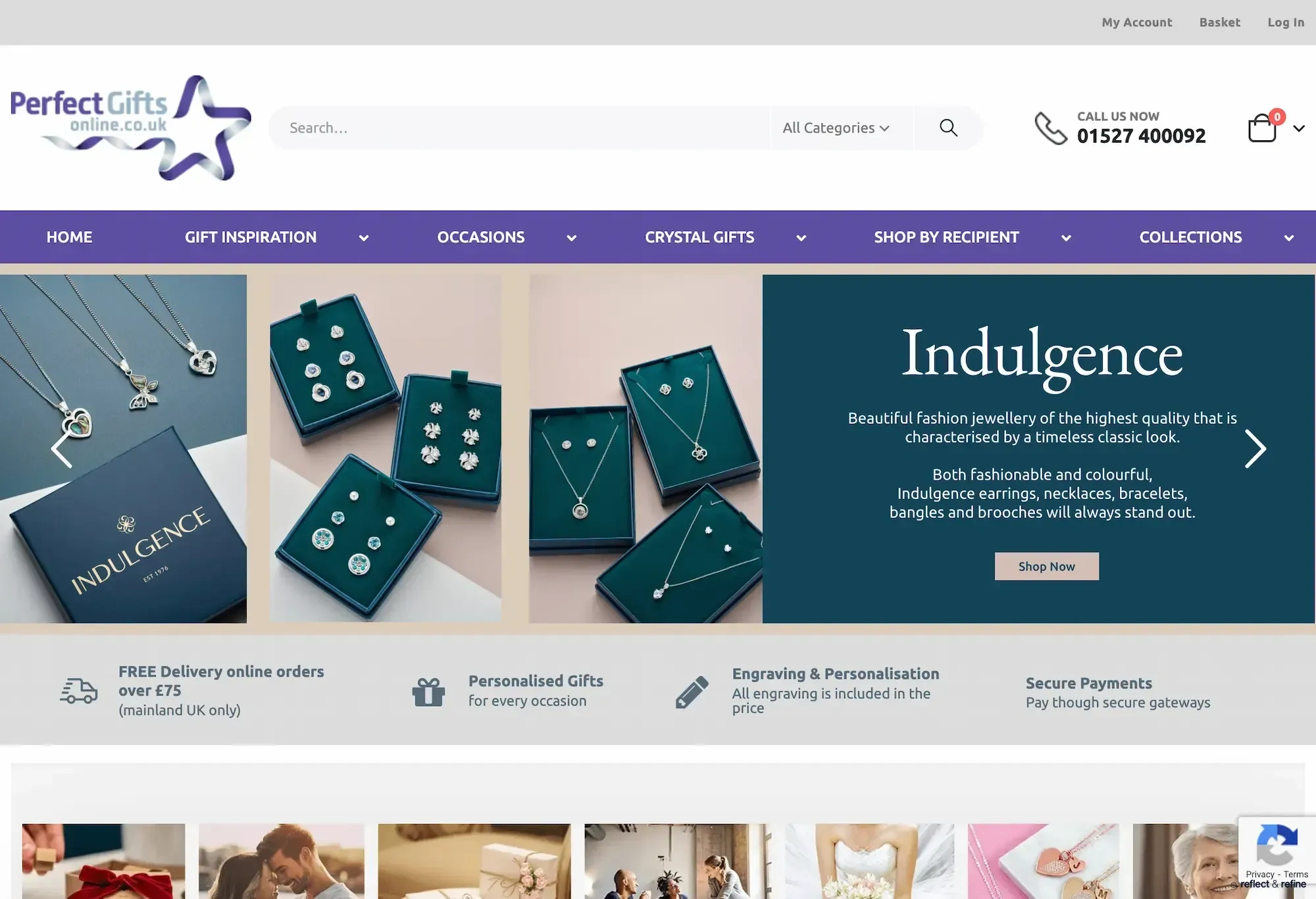
100,000+ Images Repaired and Optimised for a Large WooCommerce Store website on desktop

Perfect Gifts Online runs a large WooCommerce store with thousands of product images. I was moving the site to better hosting. The migration exposed serious issues: featured images broke, category grids showed missing thumbnails, regeneration scripts failed.

The work became repair and optimisation: fix the media layer safely, then optimise the full image library for size and performance. No re-uploading, no catalogue rebuild.

Key results

  • 100,000+

    Images processed across the site

  • 51,000+

    Images optimised

  • 4.56 GB ↓ 970 MB

    One key folder after optimisation

The brief

Moving the store to new hosting revealed a broken media layer: thousands of product images broken or missing after the move. The goals were to repair attachment records and metadata, regenerate thumbnails in a controlled way, resolve permission conflicts, and optimise the image library for file size and performance without re-importing products or media.

  • Repair 5,000+ attachment records in the affected uploads directory
  • Fix database-to-filesystem mismatch and stale metadata
  • Regenerate missing WooCommerce and theme thumbnail sizes in batches
  • Resolve server permission conflicts blocking regeneration
  • Optimise 100,000+ images site-wide (PNG to JPG where appropriate, resize oversized thumbnails)

The challenge

When we migrated the large WooCommerce site to new hosting, the media layer broke. Featured images failed to load, "can't find image" warnings appeared during regeneration, thumbnail sizes were missing. File counts and attachment records didn't match. Regeneration failed. Permission conflicts between server users caused unlink failures, lock file conflicts and logging errors.

In one affected directory alone, around 5,000 attachment records were out of sync with the files on disk; hundreds of large images exceeded 1–2 MB. This wasn't a simple thumbnail glitch. It was a database-to-filesystem mismatch at scale.

Site-wide, the image library needed attention: PNGs where JPG would do, oversized thumbnails, no consistent strategy. Fixing the broken layer was the first step; making the whole library smaller and faster was the second.

The approach

Work was done in two phases: repair, then optimisation.

Audit: Cross-checked attachment records against physical files in the affected directory. Identified mismatches between database and disk. Confirmed no missing source files.

Metadata repair: Repointed attachment records to valid -scaled files where originals were missing. Cleared wrong metadata. Validated image editor support (JPEG, PNG, WebP). That removed the regeneration warnings.

Batch regeneration: Built a custom batch script. Processed images in small groups. Logged progress, made execution resumable. Regenerated only the affected attachments. Normalised permissions so unlink and write operations succeeded.

Site-wide optimisation: Processed over 100,000 images across the installation; optimised more than half with major file size reductions. Regenerated thousands of thumbnails and resized them for faster mobile loading. Converted oversized PNGs to lighter JPGs where appropriate. In one key folder (~5,000 images), total size dropped from 4.56 GB to 970 MB; largest files from 5–8 MB to under 800 KB.

The outcome

The WooCommerce media system was restored without re-importing products, re-uploading media or rebuilding the catalogue. The site serves correct thumbnail sizes, consistent product imagery, no regeneration errors. Database and filesystem are aligned. The media pipeline is stable and maintainable; the image library (2020–2024) is fully optimised.

What this means for the site: Faster page loading, better mobile performance, reduced bandwidth use, improved SEO from speed gains. Product pages stay fast while keeping good visual quality. Proper thumbnail sizes are served in grid and listing views instead of full-size images. Layout shift from missing thumbnails was removed; regeneration and permission errors were eliminated. The image library is in a good state for ongoing use.

Why it worked

The migration exposed how fragile the media layer was at that scale. The repair was methodical: audit first, fix metadata, then regenerate in controlled batches. Fixing permissions and metadata before regeneration meant the script could run to completion without unlink or write failures.

Treating repair and optimisation as two phases kept scope clear. Repair made the site correct; optimisation made it lighter and faster. No re-upload meant no product data risk and no downtime. The client is on better hosting with a reliable, performant media layer.

Start a conversation

No obligation. No sales pitch. Just an honest conversation about what you need.

No obligation. No sales pitch.